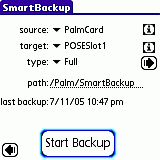
Backup
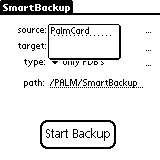
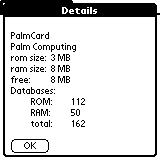
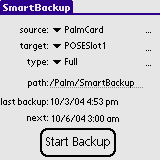
PalmCard) available.
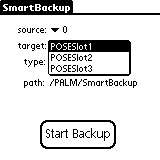
Usually there is just one available except on PalmOS™ 5.0 or better (RAM Drive) or with Handera330.
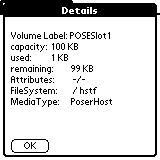
The names in the list depends on the name of the cards that are mounted.
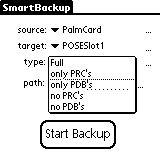
Full |
All databases are backup'ed except those in RAM and the _68k_ proxies for Palm OS™ 5.x |
only PRC's
| just the Resource databases are backup'ed. PDB's and PQA's are skipped. |
only PDB's
| just the Data databases are backup'ed, PRC's and PQA's are skipped |
no PRC's
| no PRC's get backup'ed just PDB's and PQA's. |
no PDB's
| no PDB's get backup'ed just PRC's and PQA's. |
/. If the path do not exists it is created.
This panel can be reach via shorcut
/B or via pressing on the "..." left of the type selector.
This panel can be reach via shorcut
/B or via pressing on the "..." left of the type selector.
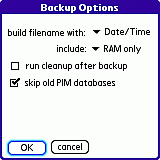
You can choose if only files in RAM or only ROM or both files should be included in the backup.
You can choose if cleanup should run after the backup so that the number of files in the backup directory is reduced.
You can choose if old PIM databases (DatebookDB, MemoDB, AddressDB, ToDoDB) should be included in the backup. This option is only available on Palm OS™ enableded devices with the new PIM (personal information manager) applications. Restoring the databases will cause duplicate entries because the information is restored via other databases.
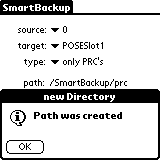
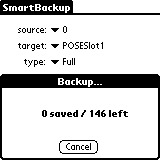
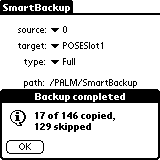
The first time you start the application it will take a little longer, but all further backups will run much faster, because only changed files since last backup get copied.
Features:
- support for multiple slots (CardNo / "source")
- selector for the target memory card.
- RamDrive support for PalmOS 5™
- incremental Backup, only changed database are included in the backup (depends on the
LastModificationDatein the database header). - Files have file suffix
prc,pdborpqa. - in the Filename of Applications is the version number included.
The file name of a Database in the backup directory is created from
- the database name
- an underscore
- if it is a Application and a version number is available, the version followed by a underscore
- last modification date from the database header in the selected format:
- Date/Time
YYYYMMDDhhmmss(year, month, day, hour, minute, second) - Date
YYYYMMDD(year, month, day) - -/- no date/time is appended
- Date/Time
- suffix, depending of the type of database.
*.prc- Palm Resource Database*.pdb- Palm Data Database*.pqa- Palm Query Application
SmartBackup_1.0c_20021226174439.prc
The files with _68k_ in its name are proxies for ARM prcessors supported by Palm OS™ 5.0 are never included in the backup, because they get regenerated by the first launch of an application.
Databases in ROM are not backup'ed either, because they survive even a hard reset.
CleanUp
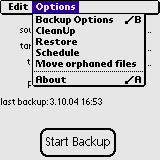
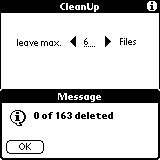
You can remove them by hand, or just choose "CleanUp" from the menu.
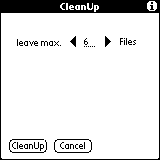
If you tap on the cleanUp button, there will advance a progress indicator. The cleanUp is done in three steps. First the list of files in the backup directory is build. Then the list is sorted und at least the files are deleted. At least the choosen number of files will be left on the external memory card. The oldest files will be deleted.
Restore
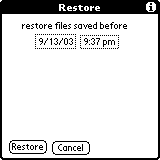
The restore is done in three steps
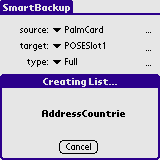
- creating a list of all files of the backup directory
- sorting the list
- coping the files to the build in memory
?) for errors that can occur.
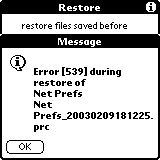
Error 539 (dmDatabaseProtected) occurs while trying to restore a open database. Some database like the Net Prefs get opened during system initialization. So it can not be restored.
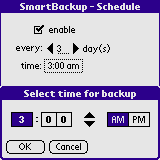
Schedule

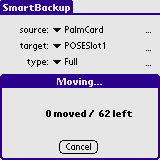
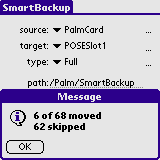
Move orphaned files
Move orphanded files can be reached via the menu. This will move all Databases which do not longer exist in the internal memory of the Palm OS enabled device into a directory called '/[your backup Directory]/orphaned'. This will help in the case of a restore that there will be no old files restored, which had been deleted from the internal memory before the loss of data.